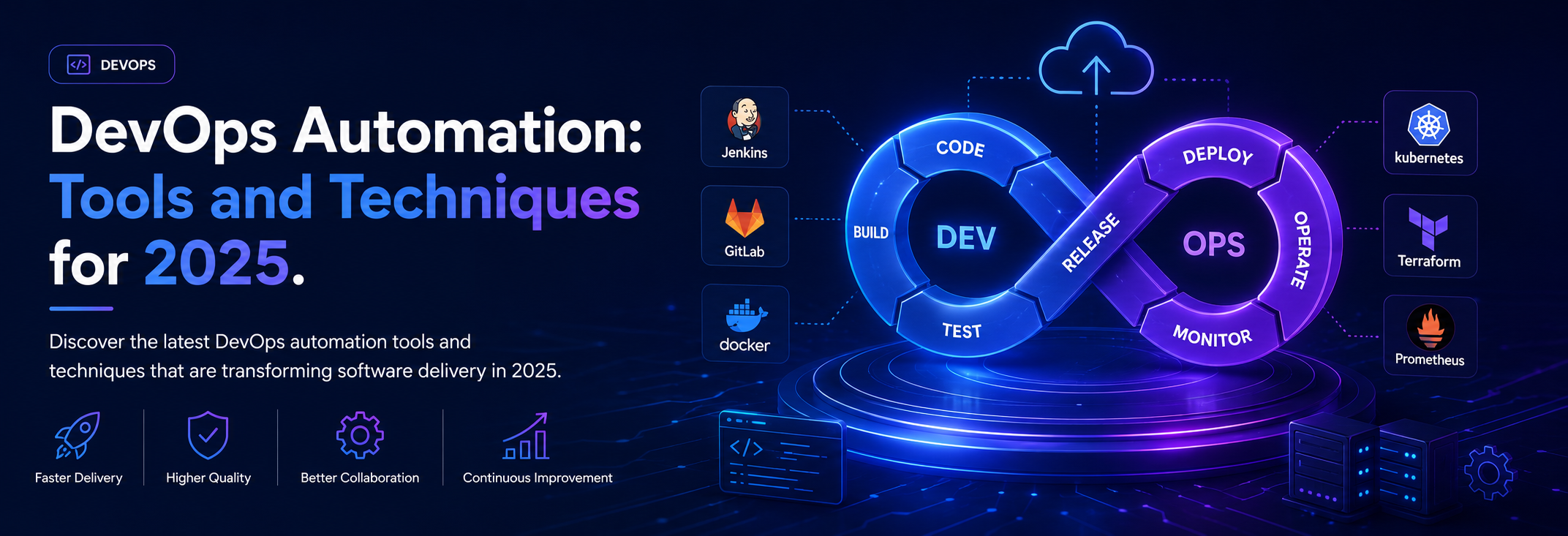
Discover the latest DevOps automation tools and techniques that are transforming software delivery in 2025.
The Evolution of DevOps Automation
DevOps automation has evolved significantly over the past decade, enabling teams to deliver software faster and more reliably than ever before. In 2025, automation is no longer optional—it's the foundation of competitive software delivery.
The journey from manual processes to fully automated pipelines represents one of the most significant transformations in software engineering. Organizations that embrace automation report 200x faster deployment frequencies, 24x faster recovery times, and 3x lower change failure rates compared to their peers.
Understanding Modern DevOps Automation
What DevOps Automation Really Means
DevOps automation encompasses far more than just CI/CD pipelines. It's a comprehensive approach to eliminating manual work across the entire software delivery lifecycle:
Build Automation:
- Automated compilation and artifact creation
- Dependency management
- Build optimization and caching
- Reproducible builds across environments
Test Automation:
- Unit, integration, and end-to-end testing
- Performance and load testing
- Security scanning and vulnerability detection
- Automated test data generation
Deployment Automation:
- Continuous delivery pipelines
- Blue-green and canary deployments
- Automated rollback mechanisms
- Environment provisioning and teardown
Infrastructure Automation:
- Infrastructure as Code (IaC)
- Configuration management
- Auto-scaling and self-healing systems
- Disaster recovery automation
Operations Automation:
- Monitoring and alerting
- Incident response and remediation
- Backup and recovery procedures
- Compliance and audit reporting
Essential DevOps Automation Practices
1. Continuous Integration and Continuous Deployment (CI/CD)
CI/CD forms the backbone of modern DevOps automation:
Continuous Integration Best Practices:
Build on every commit to catch issues early:
- Developers commit code to shared repository multiple times per day
- Automated build triggers immediately upon commit
- Comprehensive test suite runs automatically
- Fast feedback loop (builds should complete in under 10 minutes)
- Failed builds stop the pipeline immediately
Continuous Deployment Pipeline Stages:
A mature CD pipeline includes multiple stages:
1. Source Stage: Code committed to version control triggers pipeline
2. Build Stage: Compile code, resolve dependencies, create artifacts
3. Test Stage: Run automated tests at multiple levels
4. Security Stage: Scan for vulnerabilities and compliance issues
5. Deploy Stage: Push to production with automated rollout strategies
6. Monitor Stage: Observe deployment and automatically rollback if issues detected
Key Principles:
- Automate everything possible
- Test early and often
- Deploy small changes frequently
- Monitor continuously
- Enable fast rollbacks
2. Infrastructure as Code (IaC)
Treat infrastructure like software with versioning, testing, and code review:
Benefits of Infrastructure as Code:
- **Repeatability:** Provision identical environments reliably
- **Version Control:** Track infrastructure changes over time
- **Documentation:** Infrastructure configuration serves as documentation
- **Testing:** Validate infrastructure changes before applying
- **Disaster Recovery:** Rebuild entire infrastructure from code
IaC Best Practices:
Modular Design:
- Create reusable modules for common infrastructure patterns
- Separate configuration by environment
- Use variables for environment-specific values
- Maintain DRY (Don't Repeat Yourself) principles
State Management:
- Store state files in remote, shared locations
- Implement state locking to prevent conflicts
- Regular state file backups
- Plan before applying changes
Security Considerations:
- Never commit secrets to version control
- Use secret management tools (AWS Secrets Manager, HashiCorp Vault)
- Implement least-privilege access policies
- Regular security audits of infrastructure code
3. Automated Testing Strategy
Comprehensive testing automation ensures quality without sacrificing speed:
The Testing Pyramid:
Unit Tests (70%):
- Fast, isolated tests of individual components
- Run in milliseconds
- High coverage of business logic
- No external dependencies
Integration Tests (20%):
- Verify components work together correctly
- Test API endpoints and data flows
- Use test databases and mocked external services
- Run in seconds to minutes
End-to-End Tests (10%):
- Simulate real user scenarios
- Test complete workflows through UI
- Run against production-like environments
- Run in minutes
Additional Testing Layers:
Performance Testing:
- Load testing to verify scalability
- Stress testing to find breaking points
- Endurance testing for memory leaks
- Spike testing for traffic bursts
Security Testing:
- Static Application Security Testing (SAST)
- Dynamic Application Security Testing (DAST)
- Dependency scanning for vulnerabilities
- Container image scanning
Chaos Engineering:
- Deliberately inject failures
- Verify resilience and recovery
- Test disaster recovery procedures
- Validate monitoring and alerting
4. Security Automation (DevSecOps)
Integrate security throughout the development lifecycle:
Shift Left Security:
Identify and fix security issues as early as possible:
- Pre-commit hooks for secret detection
- IDE plugins for real-time security feedback
- Automated security scanning in CI pipeline
- Security gates before production deployment
Automated Security Controls:
Code Analysis:
- Static code analysis for security vulnerabilities
- Dependency vulnerability scanning
- License compliance checking
- Code quality metrics
Infrastructure Security:
- Automated compliance checking
- Security group and firewall rule validation
- Encryption verification
- Access control audits
Runtime Security:
- Container runtime protection
- Application security monitoring
- Intrusion detection systems
- Automated incident response
5. Monitoring and Observability
Comprehensive observability enables proactive issue detection:
The Three Pillars of Observability:
Metrics:
- Time-series data on system performance
- Business KPIs and technical metrics
- Alert thresholds and anomaly detection
- Dashboards for real-time visibility
Logs:
- Centralized log aggregation
- Structured logging for better parsing
- Log correlation across services
- Long-term log retention and analysis
Traces:
- Distributed tracing across microservices
- Request flow visualization
- Performance bottleneck identification
- Dependency mapping
Automated Monitoring Practices:
- Define SLIs (Service Level Indicators) and SLOs (Service Level Objectives)
- Implement automated alerting with proper escalation
- Use anomaly detection to identify unusual patterns
- Practice chaos engineering to test observability
- Implement self-healing systems where appropriate
Essential DevOps Tools for 2025
CI/CD Platforms
GitHub Actions:
Best for: Teams already using GitHub, native integration
Key Features:
- Workflows defined as code in repository
- Vast marketplace of pre-built actions
- Native GitHub integration
- Self-hosted runner support
- Matrix builds for multiple configurations
GitLab CI/CD:
Best for: Enterprises wanting full DevOps platform
Key Features:
- Integrated with GitLab source control
- Built-in container registry
- Compliance and security dashboards
- Auto DevOps for automatic pipeline configuration
- Advanced deployment strategies
Jenkins:
Best for: Organizations with complex, customized pipelines
Key Features:
- Highly extensible plugin ecosystem
- Self-hosted with full control
- Declarative and scripted pipelines
- Master-agent architecture for scalability
- Integration with virtually any tool
CircleCI:
Best for: Fast, cloud-native pipelines
Key Features:
- Docker-native execution
- Intelligent caching for faster builds
- Orbs for reusable configuration
- Insights for pipeline optimization
- Remote Docker for build optimization
Infrastructure as Code Tools
Terraform:
Best for: Multi-cloud infrastructure management
Strengths:
- Provider-agnostic (AWS, Azure, GCP, etc.)
- Declarative configuration language (HCL)
- State management for tracking resources
- Plan-before-apply workflow
- Large module ecosystem
CloudFormation:
Best for: AWS-only infrastructure
Strengths:
- Native AWS integration
- No additional tools required
- Stack management and drift detection
- Change sets for preview
- Free to use (only pay for resources)
Pulumi:
Best for: Developers preferring general-purpose languages
Strengths:
- Write IaC in Python, TypeScript, Go, C#
- Familiar programming constructs
- Testing with standard frameworks
- Integration with existing tools
- Multi-cloud support
Ansible:
Best for: Configuration management and orchestration
Strengths:
- Agentless architecture
- Simple YAML syntax
- Extensive module library
- Both push and pull modes
- Idempotent operations
Container Orchestration
Kubernetes:
The industry standard for container orchestration
Key Capabilities:
- Automated deployment and scaling
- Self-healing systems
- Service discovery and load balancing
- Secret and configuration management
- Horizontal and vertical auto-scaling
Managed Kubernetes Services:
- **Amazon EKS:** Best AWS integration, managed control plane
- **Azure AKS:** Excellent Azure ecosystem integration
- **Google GKE:** Kubernetes origin, autopilot mode
- **Red Hat OpenShift:** Enterprise features, developer tools
Kubernetes Ecosystem Tools:
- **Helm:** Package manager for Kubernetes applications
- **Kustomize:** Template-free Kubernetes configuration
- **ArgoCD:** GitOps continuous delivery
- **Istio:** Service mesh for microservices
- **Prometheus:** Kubernetes-native monitoring
Monitoring and Observability
Prometheus + Grafana:
Best for: Open-source monitoring stack
Features:
- Time-series metrics database
- Powerful query language (PromQL)
- Flexible alerting rules
- Beautiful dashboards with Grafana
- Kubernetes-native integration
Datadog:
Best for: Comprehensive SaaS monitoring
Features:
- Unified metrics, traces, and logs
- APM (Application Performance Monitoring)
- Infrastructure monitoring
- AI-powered anomaly detection
- Extensive integrations
New Relic:
Best for: Full-stack observability
Features:
- Real user monitoring
- Synthetic monitoring
- Log management
- Distributed tracing
- Custom dashboards and alerts
ELK Stack (Elasticsearch, Logstash, Kibana):
Best for: Log aggregation and analysis
Features:
- Centralized logging
- Full-text search capabilities
- Log visualization and dashboards
- Alert and anomaly detection
- Data retention policies
Emerging Trends in DevOps Automation
1. AI-Powered DevOps (AIOps)
Artificial intelligence is transforming DevOps practices:
Intelligent Alerting:
- ML models reduce alert fatigue
- Predictive alerting before incidents occur
- Automatic incident correlation
- Root cause analysis
Automated Remediation:
- Self-healing systems
- Automated rollback decisions
- Intelligent resource optimization
- Predictive scaling
Code Generation and Review:
- AI-assisted code completion (GitHub Copilot)
- Automated code review suggestions
- Test generation
- Documentation generation
2. GitOps
Git as single source of truth for infrastructure and applications:
Core Principles:
- Entire system described declaratively in Git
- Desired state versioned in Git
- Automated synchronization from Git to clusters
- Software agents ensure correctness
Benefits:
- Improved security (Git as audit log)
- Easier rollbacks (Git revert)
- Better disaster recovery
- Enhanced collaboration
Popular GitOps Tools:
- ArgoCD
- Flux
- Jenkins X
- Rancher Fleet
3. Platform Engineering
Building internal developer platforms to improve productivity:
Platform Engineering Goals:
- Reduce cognitive load on developers
- Standardize deployment patterns
- Enable self-service infrastructure
- Improve developer experience
Key Components:
- Self-service portals
- Golden path templates
- Automated scaffolding
- Built-in best practices
- Comprehensive documentation
4. FinOps Integration
Bringing financial accountability to cloud operations:
FinOps Practices:
- Real-time cost visibility
- Automated cost optimization
- Chargeback and showback
- Budget alerts and guardrails
- Reserved instance planning
Tools and Techniques:
- Cloud cost management platforms
- Automated rightsizing recommendations
- Spot instance utilization
- Resource tagging strategies
- Cost allocation by team/project
5. Policy as Code
Automated governance and compliance:
Use Cases:
- Security policy enforcement
- Compliance validation
- Cost control policies
- Resource naming conventions
- Deployment approval workflows
Tools:
- Open Policy Agent (OPA)
- HashiCorp Sentinel
- AWS Config Rules
- Azure Policy
- Cloud Custodian
Building a DevOps Automation Roadmap
Phase 1: Foundation (Months 1-3)
Goals:
- Establish version control for all code
- Implement basic CI pipelines
- Automate build processes
- Set up development environments
Key Activities:
- Choose and implement CI platform
- Create pipeline templates
- Automate testing
- Establish coding standards
- Implement code review process
Phase 2: Acceleration (Months 4-6)
Goals:
- Implement continuous deployment
- Introduce infrastructure as code
- Expand test automation
- Implement monitoring
Key Activities:
- Deploy to staging automatically
- Create IaC for core infrastructure
- Implement integration tests
- Set up centralized logging
- Create initial dashboards
Phase 3: Optimization (Months 7-12)
Goals:
- Production deployment automation
- Advanced monitoring and alerting
- Security automation
- Performance optimization
Key Activities:
- Implement blue-green deployments
- Set up distributed tracing
- Integrate security scanning
- Optimize pipeline performance
- Implement chaos engineering
Phase 4: Innovation (Ongoing)
Goals:
- Continuous improvement
- Adopt emerging practices
- Foster DevOps culture
- Measure and optimize
Key Activities:
- Experiment with new tools
- Implement AIOps capabilities
- Refine processes based on metrics
- Share knowledge across teams
- Contribute to community
Measuring DevOps Success
DORA Metrics
The Four Keys to DevOps performance:
1. Deployment Frequency:
How often code deploys to production
- Elite: Multiple times per day
- High: Between once per day and once per week
- Medium: Between once per week and once per month
- Low: Less than once per month
2. Lead Time for Changes:
Time from code commit to production
- Elite: Less than one hour
- High: Between one day and one week
- Medium: Between one week and one month
- Low: More than one month
3. Time to Restore Service:
How quickly you recover from failures
- Elite: Less than one hour
- High: Less than one day
- Medium: Between one day and one week
- Low: More than one week
4. Change Failure Rate:
Percentage of deployments causing failures
- Elite: 0-15%
- High: 16-30%
- Medium: 31-45%
- Low: 46-60%
Additional Metrics
Operational Metrics:
- Mean time between failures (MTBF)
- Mean time to detect (MTTD)
- Mean time to repair (MTTR)
- System availability and uptime
Business Metrics:
- Customer satisfaction scores
- Time to market for features
- Revenue impact of outages
- Cost per deployment
Common Pitfalls and How to Avoid Them
1. Tool Obsession
Don't get distracted by shiny tools—focus on processes:
- **Solution:** Start with manual processes, identify pain points, then automate
- Evaluate tools based on specific needs
- Consider maintenance burden of tools
- Train team thoroughly on chosen tools
2. Insufficient Testing
Automation without proper testing creates fast failures:
- **Solution:** Build comprehensive test suite first
- Implement test-driven development
- Maintain high test coverage
- Regular test suite maintenance
3. Ignoring Security
Moving fast without security creates vulnerabilities:
- **Solution:** Integrate security from the start
- Automate security scanning
- Regular security training
- Incident response planning
4. Poor Documentation
Automated systems without documentation become black boxes:
- **Solution:** Maintain architecture decision records
- Document runbooks and procedures
- Keep README files current
- Create architecture diagrams
5. Neglecting Culture
Tools without cultural change won't succeed:
- **Solution:** Foster collaboration across teams
- Encourage experimentation and learning
- Celebrate failures as learning opportunities
- Invest in training and development
Conclusion
DevOps automation in 2025 is about creating efficient, reliable, and secure software delivery pipelines that enable organizations to compete effectively in the digital economy. By following these practices, adopting the right tools, and maintaining focus on continuous improvement, teams can achieve remarkable results.
Remember: automation is a journey, not a destination. Start small, learn continuously, and evolve your practices as your organization matures. The most successful DevOps teams are those that balance automation with human creativity, speed with quality, and innovation with stability.
The future of DevOps is exciting, with AI, GitOps, and platform engineering opening new possibilities. Stay curious, keep learning, and never stop automating!
Tags
Sarah Khan
DevOps Engineer
An expert in devops with years of experience helping businesses achieve their technology goals and digital transformation initiatives.