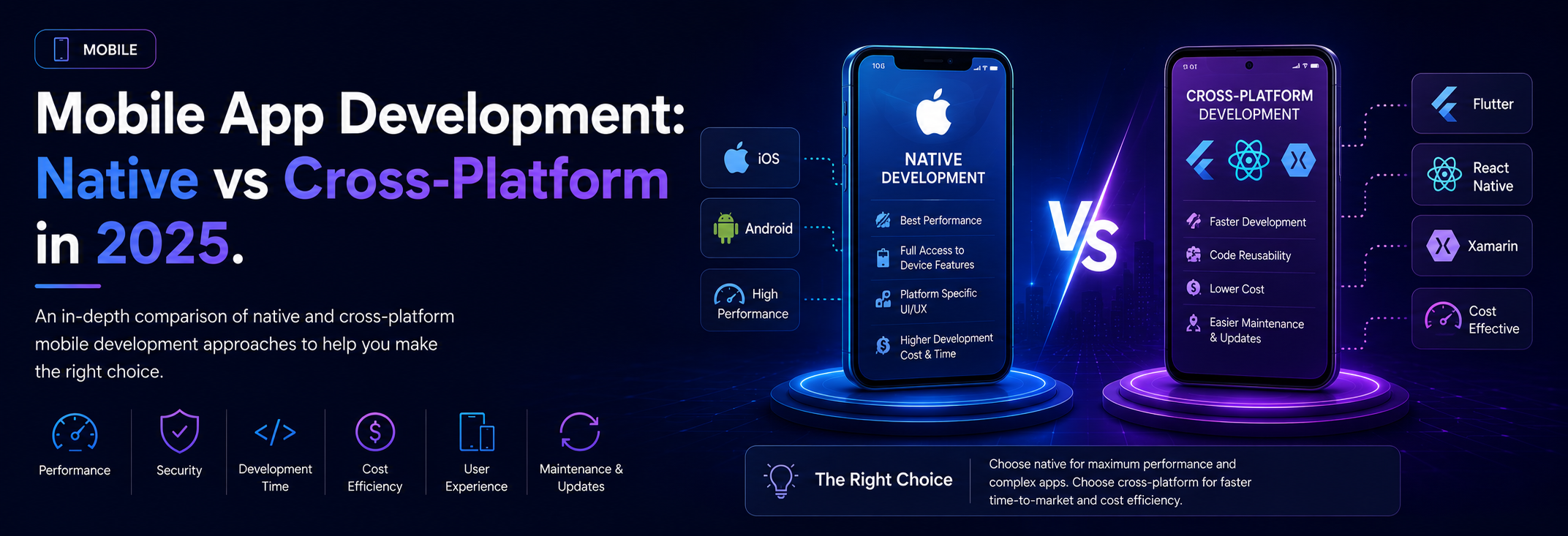
An in-depth comparison of native and cross-platform mobile development approaches to help you make the right choice.
The Mobile Development Dilemma
Choosing between native and cross-platform development remains one of the most important decisions for mobile projects. In 2025, the landscape has evolved significantly, with cross-platform tools reaching near-native performance while native development continues to offer unmatched access to platform features.
This comprehensive guide will help you navigate this decision by examining the strengths, weaknesses, and ideal use cases for each approach.
Understanding Your Options
Native Development
Building separate applications for each platform using platform-specific languages and tools.
iOS Native Development:
- **Language:** Swift (primary), Objective-C (legacy)
- **IDE:** Xcode
- **UI Framework:** SwiftUI, UIKit
- **Ecosystem:** CocoaPods, Swift Package Manager
Android Native Development:
- **Language:** Kotlin (primary), Java (legacy)
- **IDE:** Android Studio
- **UI Framework:** Jetpack Compose, XML layouts
- **Ecosystem:** Gradle, Maven
Cross-Platform Development
Building once and deploying to multiple platforms with shared codebase.
React Native:
- **Language:** JavaScript/TypeScript
- **Based on:** React
- **Backed by:** Meta (Facebook)
- **Market share:** 38% of cross-platform apps
Flutter:
- **Language:** Dart
- **Based on:** Custom rendering engine
- **Backed by:** Google
- **Market share:** 42% of cross-platform apps
Progressive Web Apps (PWAs):
- **Technology:** Web standards
- **Distribution:** Browser-based
- **Capabilities:** Growing platform access
Hybrid Solutions
Web content wrapped in native container:
- **Ionic:** Web technologies with Capacitor
- **Cordova/PhoneGap:** Legacy hybrid approach
- **.NET MAUI:** Evolution of Xamarin
Deep Dive: Native Development
Advantages of Native Development
1. Maximum Performance
Native apps have direct access to device capabilities:
- No abstraction layer overhead
- Optimized for specific platform
- Smooth animations and transitions
- Efficient memory management
- Full GPU acceleration
Real-world impact:
- 3D games and graphics-intensive apps
- Real-time video/audio processing
- Complex animations
- High-performance data processing
2. Full Platform Features
Access to latest platform capabilities immediately:
- New APIs available on release day
- Platform-specific features (Face ID, ARKit, etc.)
- Deep system integration
- Background processing
- Advanced sensors
3. Superior User Experience
Native apps feel "right" on each platform:
- Platform-specific UI patterns
- Native gestures and interactions
- Consistent with system apps
- Platform design guidelines adherence
4. Better Developer Tools
Mature tooling and documentation:
- Xcode and Android Studio features
- Advanced debugging capabilities
- Performance profiling tools
- Official documentation
- Large community support
5. Security and Privacy
Enhanced security features:
- Platform-level encryption
- Secure storage mechanisms
- Biometric authentication
- Trusted execution environment
- Regular security updates
Challenges of Native Development
1. Development Cost and Time
Most significant drawback:
- Two separate codebases to maintain
- Double development time (roughly)
- Separate teams or multi-skilled developers
- Higher ongoing maintenance costs
Budget implications:
- Initial development: 2x cost
- Maintenance: 2x ongoing costs
- Team: Larger or more diverse skill requirements
2. Skill Requirements
Need platform-specific expertise:
- Swift/iOS development skills
- Kotlin/Android development skills
- Different toolchains and ecosystems
- Harder to find developers with both
- Higher salary requirements
3. Longer Time to Market
Sequential or parallel development extends timeline:
- Feature parity challenges
- Coordinating releases
- Separate testing cycles
- Bug fixes must be duplicated
4. Code Duplication
Business logic must be implemented twice:
- Same algorithms in different languages
- API integration duplicated
- Testing duplicated
- Higher bug potential
When to Choose Native Development
Ideal Scenarios:
High-Performance Requirements:
- Mobile games
- Real-time video/audio apps
- Augmented reality applications
- Complex 3D graphics
- Heavy computational workloads
Platform-Specific Features:
- Apps requiring latest platform APIs
- Deep system integration needs
- Platform-exclusive features (HealthKit, ARKit)
- Advanced background processing
Large Enterprise Applications:
- Complex business logic
- High security requirements
- Long-term maintenance
- Large development teams
- Premium user experience expectations
Consumer Apps with High Standards:
- Banking and financial applications
- Health and fitness apps
- Premium subscription products
- Brand-focused apps
- Apps competing with system apps
Deep Dive: React Native
How React Native Works
React Native bridges JavaScript and native platforms:
Architecture:
1. JavaScript code runs in JavaScript engine
2. Bridge communicates with native modules
3. Native components render UI
4. Platform APIs accessible via bridge
New Architecture (2025):
- JSI (JavaScript Interface) replaces bridge
- Concurrent rendering support
- Fabric rendering system
- TurboModules for native modules
- Better performance and developer experience
Advantages of React Native
1. Code Sharing
Massive efficiency gains:
- 70-90% code sharing between platforms
- Shared business logic
- Shared navigation
- Shared state management
- Platform-specific code only when needed
2. JavaScript/React Ecosystem
Leverage existing web development skills:
- Huge developer pool
- Abundant npm packages
- React knowledge transfers
- Familiar development patterns
- Web developers can contribute
3. Fast Iteration
Development velocity improvements:
- Hot reloading during development
- Faster build times than native
- Single codebase for most features
- Rapid prototyping
- Over-the-air updates (CodePush)
4. Strong Community and Ecosystem
Mature ecosystem with extensive libraries:
- Active community support
- Regular updates from Meta
- Third-party libraries
- Comprehensive documentation
- Proven production apps
5. Native Look and Feel
Uses native components:
- True native UI elements
- Platform-specific styling
- Native navigation
- Platform conventions
- Feels native to users
React Native Challenges
1. Performance Limitations
Bridge can be bottleneck:
- Heavy animations may stutter
- Complex lists can struggle
- JavaScript thread blocking
- Memory management challenges
Mitigation strategies:
- Use FlatList with proper optimization
- Implement virtualization
- Offload work to native modules
- Use new architecture features
2. Native Module Development
Sometimes need to write native code:
- Custom native functionality
- Platform-specific features
- Performance-critical sections
- Requires native development skills
3. Platform Inconsistencies
Subtle differences between platforms:
- Different behavior patterns
- Platform-specific bugs
- Navigation differences
- Styling quirks
4. Upgrade Challenges
Breaking changes in updates:
- React Native version updates
- Native dependency conflicts
- Third-party library compatibility
- Time-consuming upgrades
React Native Best Practices
Performance Optimization:
- Use FlatList for large lists
- Implement proper key extraction
- Avoid anonymous functions in render
- Use native driver for animations
- Profile with Flipper
Code Organization:
- Shared business logic
- Platform-specific UI components
- Proper state management (Redux, MobX, Zustand)
- Type safety with TypeScript
Testing Strategy:
- Unit tests for business logic
- Integration tests with Testing Library
- E2E tests with Detox
- Platform-specific testing where needed
Deep Dive: Flutter
How Flutter Works
Flutter takes a different approach:
Architecture:
1. Dart code compiles to native ARM
2. Custom rendering engine (Skia)
3. Widgets draw directly to canvas
4. No bridge to native UI
5. Platform channels for native APIs
Unique Characteristics:
- Everything is a widget
- Declarative UI
- Hot reload and hot restart
- Ahead-of-time compilation
- Comprehensive widget library
Advantages of Flutter
1. Excellent Performance
Near-native performance across platforms:
- No JavaScript bridge
- Compiled to native ARM code
- 60fps/120fps animations
- Predictable performance
- Fast app startup
2. Consistent UI Across Platforms
Pixel-perfect consistency:
- Same UI on all platforms
- Custom rendering engine
- No platform UI variations
- Brand consistency
- Predictable behavior
3. Rich Widget Library
Comprehensive built-in widgets:
- Material Design components
- Cupertino (iOS-style) widgets
- Custom widgets easy to build
- Extensive animation support
- Layout flexibility
4. Developer Productivity
Excellent developer experience:
- Hot reload (sub-second)
- Declarative UI approach
- Strong typing with Dart
- Comprehensive documentation
- Growing ecosystem
5. Single Codebase
True cross-platform:
- iOS and Android from one codebase
- Web support (stable)
- Desktop support (Windows, Mac, Linux)
- Embedded device support
Flutter Challenges
1. Learning Curve
New language and paradigm:
- Dart language learning required
- Widget-based thinking
- Smaller developer pool
- Different from web development
- Ecosystem still maturing
2. App Size
Larger application sizes:
- Includes Flutter engine (≈4MB)
- Custom rendering code
- Larger than native equivalents
- Optimization techniques available
3. Platform Integration
Custom UI may feel non-native:
- Doesn't use platform UI
- May not match platform conventions
- Platform updates need Flutter updates
- Custom widgets for platform look
4. Limited Native Libraries
Smaller ecosystem compared to React Native:
- Fewer third-party packages
- May need to write platform channels
- Some platform features need custom implementation
- Growing but not as mature
Flutter Best Practices
State Management:
- Provider for simple cases
- Riverpod for advanced scenarios
- BLoC for complex apps
- GetX for rapid development
Code Organization:
- Feature-first structure
- Separate business logic
- Reusable widget library
- Proper abstraction layers
Performance:
- Use const constructors
- Implement RepaintBoundary
- Optimize list rendering
- Profile with DevTools
Progressive Web Apps (PWAs)
The Web-Based Alternative
PWAs offer unique advantages:
Capabilities:
- Installable from browser
- Offline functionality
- Push notifications
- Background sync
- Access to device APIs (growing)
Strengths:
- True cross-platform (web, mobile, desktop)
- No app store required
- Instant updates
- No app store fees
- SEO benefits
- Lower development cost
Limitations:
- Limited platform integration
- Restricted API access
- Less discoverable (no app store)
- Varying browser support
- Performance constraints
When PWAs Make Sense:
Great for:
- Content-heavy applications
- News and media sites
- E-commerce storefronts
- Social platforms
- Productivity tools
Not Ideal for:
- Games requiring high performance
- Apps needing deep system integration
- Apps requiring extensive offline capability
- Platform-specific features
Decision Framework
Choosing Your Approach
Key Questions to Ask:
1. Performance Requirements
- Do you need maximum performance?
- Are animations complex and frequent?
- Is real-time processing required?
2. Budget and Timeline
- What's your development budget?
- What's your time to market?
- What are ongoing maintenance costs?
3. Team Skills
- What are your team's current skills?
- Can you hire specialized developers?
- Training time available?
4. Platform Features
- Need latest platform APIs immediately?
- Deep system integration required?
- Platform-specific features critical?
5. User Experience
- How important is native feel?
- Brand consistency across platforms?
- Platform convention adherence?
6. Maintenance Strategy
- Long-term maintenance plan?
- Update frequency?
- Bug fix process?
Decision Matrix
Choose Native If:
- ✅ Budget allows for separate teams
- ✅ Performance is critical
- ✅ Latest platform features needed
- ✅ Premium UX is priority
- ✅ Complex platform integration
- ✅ Long-term enterprise application
Choose React Native If:
- ✅ JavaScript/React skills in team
- ✅ Fast time to market important
- ✅ Budget constraints exist
- ✅ Good performance sufficient
- ✅ Need rapid iteration
- ✅ Rich third-party ecosystem needed
Choose Flutter If:
- ✅ UI consistency across platforms critical
- ✅ Excellent performance needed
- ✅ Team can learn Dart
- ✅ Brand-specific UI design
- ✅ Beyond mobile (web, desktop)
- ✅ Smooth animations important
Choose PWA If:
- ✅ Content-focused application
- ✅ Minimal native features needed
- ✅ Web expertise in team
- ✅ App store avoidance desired
- ✅ Easy updates critical
- ✅ Budget is minimal
Hybrid Strategies
Best of Both Worlds
Many successful apps use hybrid approaches:
Hybrid Strategy 1: Gradual Migration
- Start with cross-platform
- Move performance-critical features to native
- Maintain cross-platform for most UI
- Example: Airbnb's evolution
Hybrid Strategy 2: Feature-Based
- Core features cross-platform
- Platform-specific features native
- Best performance where it matters
- Manageable complexity
Hybrid Strategy 3: Progressive Enhancement
- PWA as baseline
- Native apps for enhanced experience
- Shared API and business logic
- Maximum reach with premium option
Real-World Case Studies
Instagram (React Native)
Decision: Hybrid approach
- Some features in React Native
- Critical paths remain native
- Gradual adoption
- Team skill leverage
Results:
- Faster feature development
- Maintained performance
- Leveraged web talent
- Successful at scale
Google Pay (Flutter)
Decision: Full Flutter adoption
- Consistent UI critical
- Performance requirements met
- Single codebase benefit
Results:
- Rapid development
- Consistent experience
- Easy to maintain
- Successful launch
Uber (Native)
Decision: Native development
- Performance critical
- Complex platform integration
- Large engineering team
Results:
- Best performance
- Deep platform features
- Premium experience
- Higher development cost justified
The Future of Mobile Development
Emerging Trends:
1. Compose Multiplatform
- Kotlin-based cross-platform
- Shares code with Android
- Native performance
- Growing ecosystem
2. SwiftUI Everywhere
- Apple's cross-platform UI
- iOS, macOS, watchOS, tvOS
- Modern declarative syntax
- Apple ecosystem focus
3. WebAssembly on Mobile
- Near-native performance
- Language flexibility
- Growing browser support
- Exciting potential
4. AI-Assisted Development
- Faster development
- Better code quality
- Automated testing
- Smart code generation
Conclusion
In 2025, there's no single "best" choice for mobile development—the right answer depends on your specific context:
For Maximum Performance and Latest Features: Choose Native
For Speed and Budget Efficiency: Choose React Native or Flutter
For Content-Heavy Apps: Consider PWA
For Complex Apps: Consider Hybrid Strategy
The most important factors are:
1. Your team's skills and capacity
2. Your timeline and budget
3. Your performance requirements
4. Your maintenance strategy
5. Your user experience goals
Remember: the best technology is the one that helps you build a great product that users love, ships on time, and can be maintained effectively. Choose based on your needs, not hype.
Start with a clear understanding of your requirements, evaluate your constraints, and make an informed decision. And remember—you can always evolve your approach as your product and team mature.
Tags
Mahendra Rana
Mobile Development Lead
An expert in mobile development with years of experience helping businesses achieve their technology goals and digital transformation initiatives.