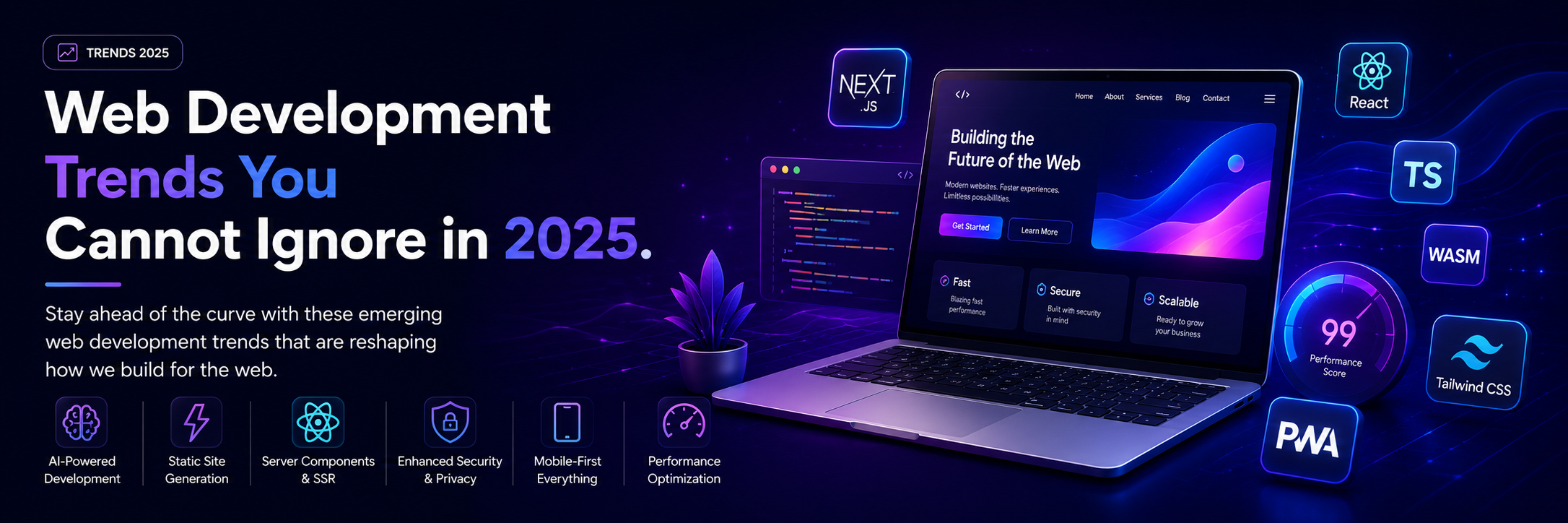
Stay ahead of the curve with these emerging web development trends that are reshaping how we build for the web.
The Evolving Web Development Landscape
The web development landscape continues to evolve at a breathtaking pace. What worked yesterday might be obsolete tomorrow, and staying current has become a critical skill for developers and organizations alike.
In 2025, we're witnessing a convergence of several powerful trends: AI-assisted development, edge computing, component-driven architectures, and a renewed focus on performance and sustainability. These aren't just buzzwords—they represent fundamental shifts in how we build, deploy, and maintain web applications.
AI-Powered Development
The Revolution in How We Code
Artificial intelligence has moved from novelty to necessity in modern web development:
AI Code Assistants:
GitHub Copilot:
- Context-aware code suggestions
- Entire function generation from comments
- Multi-language support
- Learning from your coding patterns
Amazon CodeWhisperer:
- AWS-optimized suggestions
- Security vulnerability detection
- Reference tracking for open source
- IDE integration
Tabnine:
- Team-trained models
- Privacy-focused local processing
- Custom model training
- Enterprise security
Impact on Development:
- 30-50% faster coding for routine tasks
- Reduced boilerplate code
- Better adherence to patterns
- More time for creative problem-solving
Best Practices for AI-Assisted Development:
- Review all AI suggestions carefully
- Understand generated code before using
- Use AI as a tool, not a replacement for learning
- Maintain code quality standards
- Test thoroughly
AI in Testing and Quality Assurance
Automated Test Generation:
- AI analyzes code to generate test cases
- Identifies edge cases humans might miss
- Suggests improvements to existing tests
- Maintains test coverage automatically
Visual Regression Testing:
- AI-powered screenshot comparison
- Identifies layout issues automatically
- Learns acceptable variations
- Reduces false positives
Performance Optimization:
- AI analyzes bundle sizes
- Suggests code splitting strategies
- Identifies unused dependencies
- Recommends caching strategies
Server Components and Streaming
The Next Evolution of React
React Server Components represent a paradigm shift in how we build React applications:
What Are Server Components?
A new type of component that runs exclusively on the server:
- No JavaScript sent to client for server components
- Direct access to backend resources
- Automatic code splitting
- Improved initial page load
Benefits:
- Significantly smaller bundle sizes
- Faster initial page loads
- Better SEO and Core Web Vitals
- Reduced client-side complexity
Streaming and Suspense:
Progressive page rendering enhances user experience:
- Start sending HTML immediately
- Stream components as they're ready
- Show meaningful content faster
- Graceful loading states
Example Use Cases:
Before (Traditional Client Component):
- Fetch data on client
- Wait for complete response
- Render after data arrives
- Large bundle with all code
After (Server Component):
- Fetch data on server
- Stream HTML as ready
- Client receives ready-to-display content
- Minimal client JavaScript
Practical Implementation:
\`\`\`typescript
// Server Component (no 'use client' directive)
async function BlogPost({ id }) {
// Fetch directly on server
const post = await db.query.posts.findFirst({
where: eq(posts.id, id)
});
return (
<article>
<h1>{post.title}</h1>
<Suspense fallback={<CommentsSkeleton />}>
<Comments postId={id} />
</Suspense>
</article>
);
}
// Client Component for interactivity
'use client'
function LikeButton({ postId }) {
const [liked, setLiked] = useState(false);
// Client-side logic...
}
\`\`\`
Migration Strategy:
1. Start with new features as server components
2. Identify client-only needs (state, effects, browser APIs)
3. Use 'use client' only where necessary
4. Extract shared components
5. Optimize bundle gradually
Edge Computing for Better Performance
Bringing Computation Closer to Users
Edge computing deploys code to servers near users globally:
Benefits of Edge Computing:
Reduced Latency:
- Execute logic closer to users
- Sub-100ms response times globally
- Better user experience worldwide
- Reduced round-trip time
Improved Scalability:
- Distributed load automatically
- No single point of failure
- Automatic traffic routing
- Infinite scale potential
Cost Optimization:
- Pay only for execution time
- No idle server costs
- Automatic scaling
- Reduced bandwidth costs
Edge Platforms:
Cloudflare Workers:
- Deploy to 300+ cities globally
- Sub-millisecond startup time
- KV storage for edge data
- Full Request/Response control
Vercel Edge Functions:
- Integrated with Next.js
- Streaming support
- Middleware capabilities
- Zero-config deployment
AWS Lambda@Edge:
- Integrated with CloudFront
- Full AWS ecosystem access
- CloudWatch monitoring
- Multiple language support
Use Cases:
Authentication and Authorization:
- Verify tokens at the edge
- Redirect unauthorized users
- Customize content per user
- Reduce origin load
A/B Testing:
- Route users to variants at edge
- No client-side flicker
- Consistent experience
- Real-time results
Personalization:
- Customize content by location
- Adapt to device capabilities
- Language detection and routing
- User preference handling
API Aggregation:
- Combine multiple API calls at edge
- Reduce client round-trips
- Transform response data
- Cache aggregated results
WebAssembly: Near-Native Performance
Breaking JavaScript's Performance Ceiling
WebAssembly (Wasm) enables near-native performance in browsers:
What Is WebAssembly?
A binary instruction format for web browsers:
- Compile from C, C++, Rust, Go, and more
- Run at near-native speeds
- Secure sandbox execution
- Language-agnostic runtime
Use Cases:
Compute-Intensive Applications:
- Image and video processing
- 3D graphics and games
- Machine learning inference
- Scientific simulations
- Audio synthesis
Porting Existing Applications:
- Legacy desktop applications to web
- Game engines (Unity, Unreal)
- Desktop creative tools
- Enterprise applications
Performance-Critical Libraries:
- Compression algorithms
- Encryption libraries
- Physics engines
- Data processing
Real-World Examples:
Figma:
- Entire editor runs on WebAssembly
- C++ codebase compiled to Wasm
- Near-desktop performance
- Smooth editing experience
Autodesk AutoCAD:
- 35-year-old codebase to web
- Millions of lines of C++
- Full feature parity
- No installation required
Google Earth:
- Complex 3D rendering
- Massive dataset handling
- Smooth navigation
- Cross-platform consistency
Getting Started with WebAssembly:
Language Choices:
- **Rust:** Best developer experience, great tooling
- **C/C++:** Mature ecosystem, existing codebases
- **AssemblyScript:** TypeScript-like syntax
- **Go:** TinyGo for Wasm compilation
Development Workflow:
1. Write code in chosen language
2. Compile to Wasm
3. Load in JavaScript
4. Call Wasm functions from JS
5. Pass data between JS and Wasm
Progressive Web Apps (PWAs)
Bridging Native and Web Experiences
PWAs combine the best of web and native applications:
Core PWA Features:
Offline Functionality:
- Service workers cache resources
- Work without internet connection
- Sync data when connection returns
- Seamless online/offline transitions
Installability:
- Add to home screen
- Launch from app icon
- Full-screen experience
- Platform integration
Push Notifications:
- Engage users when app closed
- Re-engage dormant users
- Timely updates and alerts
- Cross-platform support
Background Sync:
- Defer actions until connection available
- Reliable form submissions
- Chat message queuing
- Content synchronization
PWA Benefits:
For Users:
- Fast load times
- Reliable performance
- Engaging experiences
- Cross-device consistency
- Low storage footprint
For Businesses:
- Single codebase for all platforms
- No app store approvals
- Instant updates
- Better SEO
- Lower development costs
PWA Success Stories:
Twitter Lite:
- 75% increase in tweets sent
- 65% increase in pages per session
- 20% decrease in bounce rate
- 3x faster load time
Pinterest:
- 60% increase in core engagements
- 44% increase in user-generated ad revenue
- 50% increase in ad click-through rate
Starbucks:
- 2x daily active users
- Order completion close to iOS/Android apps
- 99.84% smaller than iOS app
Building a PWA:
Essential Steps:
1. HTTPS required (security)
2. Responsive design (all devices)
3. Service worker (offline capability)
4. Web app manifest (installation)
5. Progressive enhancement (core functionality without JavaScript)
Service Worker Strategies:
Cache First:
- Serve from cache if available
- Fall back to network
- Best for static assets
- Fast repeated visits
Network First:
- Try network first
- Fall back to cache
- Best for dynamic content
- Fresh data when possible
Stale-While-Revalidate:
- Serve cached version immediately
- Update cache in background
- Best for both speed and freshness
- Popular for API responses
Jamstack Architecture
Decoupling Frontend and Backend
Jamstack separates concerns for better performance and developer experience:
What Is Jamstack?
JavaScript, APIs, and Markup architecture:
- **JavaScript:** Dynamic functionality
- **APIs:** Backend services via HTTP
- **Markup:** Pre-built at build time
Core Principles:
Pre-rendering:
- Generate pages at build time
- Serve static files from CDN
- No server rendering on request
- Lightning-fast responses
Decoupling:
- Frontend independent of backend
- Mix and match services
- Easier to scale
- Better security
Content via APIs:
- Headless CMS for content
- Microservices for functionality
- Third-party integrations
- Flexible architecture
Jamstack Benefits:
Performance:
- CDN distribution globally
- No server processing delay
- Optimal caching
- Minimal infrastructure
Security:
- No server to compromise
- Reduced attack surface
- Microservice isolation
- Easier auditing
Developer Experience:
- Clear separation of concerns
- Independent deployment
- Local development ease
- Version control for content
Jamstack Stack Examples:
Classic Stack:
- Next.js for framework
- Contentful for CMS
- Vercel for hosting
- Stripe for payments
Modern Stack:
- Astro for framework
- Sanity for CMS
- Cloudflare Pages for hosting
- Fauna for database
Enterprise Stack:
- Gatsby for framework
- WordPress headless CMS
- AWS Amplify for hosting
- GraphQL for API layer
When to Use Jamstack:
Great For:
- Marketing websites
- Blogs and content sites
- E-commerce storefronts
- Documentation sites
- Landing pages
Consider Alternatives For:
- Real-time collaboration tools
- Complex application logic
- Frequent content updates (every minute)
- Personalized user experiences requiring server
TypeScript: The New Standard
Type Safety for JavaScript
TypeScript adoption has become mainstream in 2025:
Why TypeScript Dominates:
Catch Errors Early:
- Compile-time error detection
- Refactoring confidence
- Fewer runtime surprises
- Better IDE support
Improved Developer Experience:
- Intelligent autocomplete
- Inline documentation
- Easier navigation
- Better refactoring tools
Better Collaboration:
- Self-documenting code
- Clearer interfaces
- Easier onboarding
- Consistent patterns
TypeScript Benefits:
At Development Time:
- Catch typos and bugs early
- Confidence in refactoring
- Explore APIs via autocomplete
- Navigate codebase easily
At Runtime:
- Compiles to clean JavaScript
- No performance penalty
- Wide browser support
- Gradual adoption possible
TypeScript Best Practices:
Strong Typing:
\`\`\`typescript
// Avoid 'any'
// Bad
function processData(data: any) { }
// Good
interface UserData {
id: string;
name: string;
email: string;
}
function processData(data: UserData) { }
\`\`\`
Utility Types:
\`\`\`typescript
// Leverage built-in utilities
type Partial<T> // Make all properties optional
type Required<T> // Make all properties required
type Pick<T, K> // Pick specific properties
type Omit<T, K> // Omit specific properties
\`\`\`
Strict Mode:
- Enable strict null checks
- No implicit any
- Strict function types
- Catch more potential issues
Migration Strategy:
1. Rename \`.js\` to \`.ts\`
2. Fix obvious type errors
3. Add types gradually
4. Increase strictness over time
5. Never compromise on new code
Micro-Frontends
Scaling Frontend Development
Break large applications into manageable pieces:
What Are Micro-Frontends?
Architectural style for frontend applications:
- Independent deployable units
- Team ownership
- Technology diversity
- Isolated development
Benefits:
Team Autonomy:
- Independent development and deployment
- Choose best tools for the job
- Parallel development
- Faster feature delivery
Scalability:
- Scale teams independently
- Distribute system complexity
- Easier to understand codebases
- Focused ownership
Resilience:
- Isolate failures
- Independent updates
- Gradual rollouts
- Better testing
Implementation Patterns:
Build-Time Integration:
- Compile all pieces together
- Single deployment artifact
- Shared dependencies
- Coordinated releases
Server-Side Integration:
- Assemble pages on server
- Edge-side includes
- Streaming composition
- SEO-friendly
Client-Side Integration:
- JavaScript-based composition
- Dynamic loading
- Runtime flexibility
- Complex orchestration
Popular Approaches:
Module Federation (Webpack 5):
- Share dependencies automatically
- Load remote modules at runtime
- Version management
- Built-in optimization
Single-SPA:
- Framework for micro-frontends
- Technology agnostic
- Route-based mounting
- Mature ecosystem
When to Use Micro-Frontends:
Good Fit:
- Large teams (>20 developers)
- Multiple product areas
- Different release cycles
- Technology diversity needs
Overkill For:
- Small teams (<5 developers)
- Simple applications
- Tightly coupled features
- Early-stage products
Web Sustainability
Building Greener Websites
Environmental impact of the web is gaining attention:
The Problem:
Digital carbon footprint is substantial:
- Internet uses 10% of global electricity
- Single page load emits CO2
- Multiply by billions of visits
- Significant environmental impact
Sustainable Web Design Principles:
Performance IS Sustainability:
- Faster sites use less energy
- Smaller transfers reduce emissions
- Efficient code saves power
- Better UX and environment
Optimization Strategies:
Image Optimization:
- WebP and AVIF formats
- Responsive images
- Lazy loading
- Compression without quality loss
Code Efficiency:
- Remove unused dependencies
- Tree-shaking and code splitting
- Minimize bundle sizes
- Efficient algorithms
Hosting Choices:
- Green hosting providers
- Renewable energy data centers
- Efficient infrastructure
- CDN for reduced transfers
Measuring Impact:
Website Carbon Calculator:
- Estimate CO2 per page view
- Compare against averages
- Track improvements
- Set reduction goals
Lighthouse:
- Performance scores
- Best practice checks
- Optimization suggestions
- Track over time
Sustainable Web Checklist:
- [ ] Optimize all images
- [ ] Minimize JavaScript
- [ ] Use system fonts when possible
- [ ] Implement caching strategies
- [ ] Choose green hosting
- [ ] Measure and track emissions
- [ ] Regularly audit performance
- [ ] Educate team on sustainability
Enhanced Developer Experience
Tools Making Development Delightful
Vite:
Lightning-fast development server:
- Instant server start
- Hot module replacement
- Optimized builds
- Framework agnostic
Turbopack:
Rust-based bundler from Vercel:
- 10x faster than Webpack
- Incremental compilation
- Built for Next.js
- Growing ecosystem
pnpm:
Fast, disk space efficient package manager:
- Content-addressable storage
- Strict dependency management
- Monorepo support
- Faster installations
Development Workflow Improvements:
Hot Module Replacement (HMR):
- Instant feedback on changes
- Preserve application state
- No full page reloads
- Pleasant development experience
TypeScript Performance:
- Faster type checking
- Project references
- Incremental builds
- Better IDE performance
Testing Improvements:
- Vitest for unit testing
- Playwright for E2E
- Testing Library best practices
- Visual regression testing
Conclusion
The web platform in 2025 is more capable, performant, and exciting than ever. These trends represent genuine improvements in how we build, deploy, and maintain web applications.
Key Takeaways:
1. AI augments but doesn't replace developers—use it wisely
2. Performance and sustainability go hand-in-hand
3. TypeScript is now the default, not the exception
4. Edge computing brings global performance
5. The web platform keeps getting better
Moving Forward:
- Stay curious and keep learning
- Experiment with new technologies
- Focus on fundamentals (performance, accessibility, security)
- Build for users first, technology second
- Share knowledge with the community
The future of web development is bright, and the best way to prepare is to stay engaged, keep building, and never stop learning. These trends aren't about chasing the latest fad—they're about building better web experiences for users everywhere.
Tags
Alex Rodriguez
Senior Frontend Developer
An expert in web development with years of experience helping businesses achieve their technology goals and digital transformation initiatives.