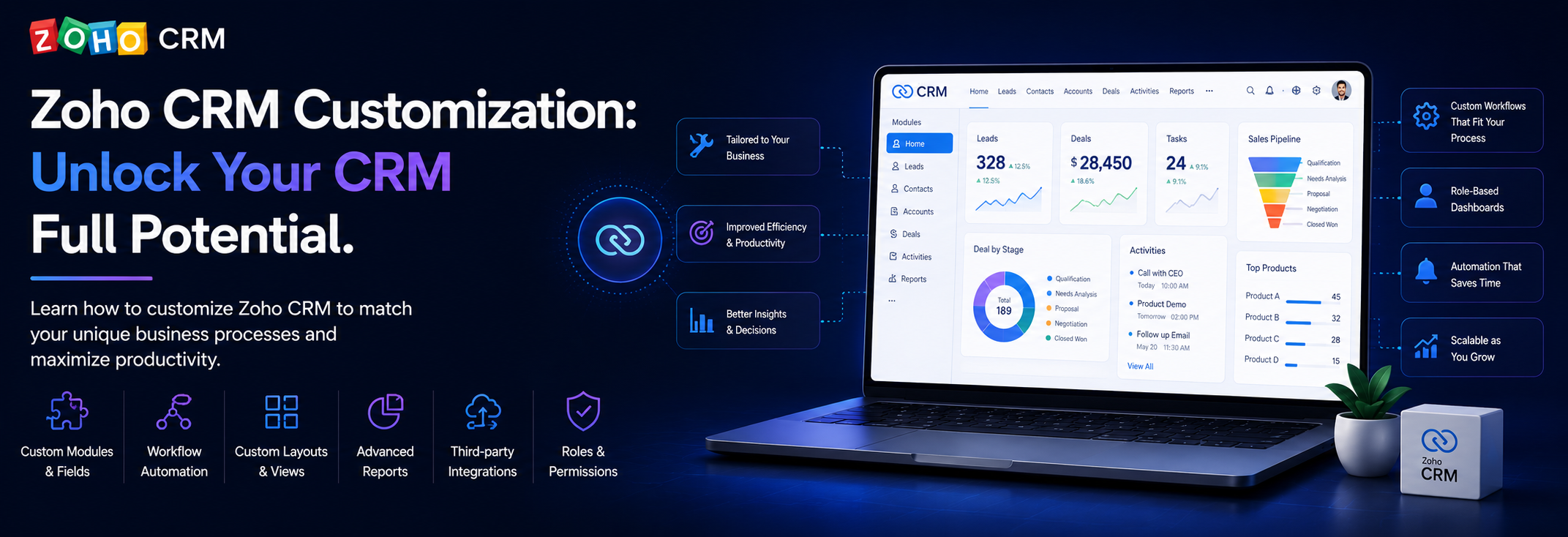
Learn how to customize Zoho CRM to match your unique business processes and maximize productivity.
The Power of CRM Customization
Zoho CRM is powerful out of the box, but its true value emerges when customized to match your unique business processes. Every business has specific workflows, terminology, and requirements that standard CRM software rarely addresses perfectly.
This comprehensive guide will walk you through the complete customization journey, from basic configuration to advanced automation, helping you transform Zoho CRM into your ideal sales and customer management platform.
Understanding Zoho CRM Customization
Why Customization Matters
The Standard CRM Problem:
- Generic field names don't match your terminology
- Standard workflows don't fit your process
- Reports don't show what you need
- Users struggle with irrelevant fields
The Customized Solution:
- Terminology matches your business
- Workflows enforce your processes
- Reports show exactly what matters
- Users adopt eagerly
Types of Customization
Configuration vs Development:
Configuration (No-Code):
- Custom fields and modules
- Page layouts and views
- Workflow automation
- Report customization
- Role-based permissions
Development (Low-Code/Code):
- Custom functions (Deluge scripting)
- Widget development
- API integrations
- Custom buttons and links
- Advanced automation
Most organizations can achieve 80-90% of their goals through configuration alone, reserving development for truly unique requirements.
Custom Modules and Fields
Creating Custom Modules
Standard modules (Leads, Contacts, Deals, Accounts) might not be enough:
When to Create Custom Modules:
- Tracking industry-specific entities (Properties, Policies, Projects)
- Managing internal processes (Support Tickets, Service Requests)
- Extending CRM capabilities (Assets, Contracts, Proposals)
Best Practices:
- Plan module relationships carefully
- Consider reporting needs upfront
- Keep module structure simple
- Document module purpose
- Plan for data migration
Example Custom Modules:
Real Estate Agency:
- Properties module
- Viewings module
- Offers module
- Property-Contact relationships
Insurance Company:
- Policies module
- Claims module
- Renewals module
- Policy-Contact links
Professional Services:
- Projects module
- Timesheets module
- Deliverables module
- Project-Deal connections
Custom Fields
Tailor modules to capture your specific data:
Field Types Available:
Basic Fields:
- Single Line (text)
- Multi Line (textarea)
- Phone
- Website/URL
- Number
- Currency
- Percent
- Date/Time
Selection Fields:
- Picklist (dropdown)
- Multi-select
- Checkbox
- Radio buttons
- Lookup (reference other records)
Advanced Fields:
- Formula (calculated values)
- Auto-number
- File upload
- User lookup
- Image upload
Custom Field Best Practices:
1. Naming Conventions:
- Use clear, business-friendly names
- Avoid technical jargon
- Consistent naming across modules
- Include units where applicable (Revenue_USD, Weight_KG)
2. Field Organization:
- Group related fields together
- Use field sections
- Hide irrelevant fields from layouts
- Set appropriate field widths
3. Data Quality:
- Make critical fields mandatory
- Add field validation rules
- Provide default values
- Use picklists for consistency
- Include help text for clarity
4. Future-Proofing:
- Avoid overly specific fields
- Plan for data growth
- Consider reporting needs
- Don't over-customize initially
Field Dependencies
Create dynamic forms with field dependencies:
Use Cases:
- Show/hide fields based on other selections
- Change picklist options dynamically
- Adjust mandatory fields by record type
- Simplify complex forms
Example: Deal Type Dependency
When Deal Type = "New Business":
  Show: Customer Acquisition Cost
  Show: Lead Source
  Hide: Renewal Date
  Hide: Upsell Amount

When Deal Type = "Renewal":
  Hide: Customer Acquisition Cost
  Hide: Lead Source
  Show: Renewal Date
  Hide: Upsell Amount

When Deal Type = "Upsell":
  Hide: Customer Acquisition Cost
  Hide: Lead Source
  Hide: Renewal Date
  Show: Upsell Amount
When Deal Type = "New Business":
Show: Customer Acquisition Cost
Show: Lead Source
Hide: Renewal Date
Hide: Upsell Amount
When Deal Type = "Renewal":
Hide: Customer Acquisition Cost
Hide: Lead Source
Show: Renewal Date
Hide: Upsell Amount
When Deal Type = "Upsell":
Hide: Customer Acquisition Cost
Hide: Lead Source
Hide: Renewal Date
Show: Upsell Amount
## Page Layouts and Views

### Customizing Page Layouts

Tailor layouts for different user roles:

**Layout Customization:**

**Field Placement:**
- Drag and drop fields
- Create logical sections
- Group related information
- Remove clutter

**Section Organization:**
- Address Information
- Company Details
- Deal Information
- Custom Business Sections

**Multi-Layout Strategy:**
- Sales Rep layout (simplified)
- Manager layout (detailed)
- Support layout (service-focused)
- Executive layout (summary)

**Layout Assignment:**
- By profile
- By role
- By user criteria
- Default layouts

### List Views

Customize how records appear in lists:

**Standard Views to Customize:**
- My Leads
- Converted Leads
- Hot Deals
- Accounts by Industry

**Custom View Creation:**

**Filter Criteria:**
- Field-based filtering
- Date range filters
- User-based filters
- Complex AND/OR logic

**Display Columns:**
- Choose relevant fields
- Order by importance
- Include calculated fields
- Add color coding

**Sorting and Grouping:**
- Default sort order
- Group by categories
- Multi-level sorting

**Example: Sales Pipeline View**
Page Layouts and Views
Customizing Page Layouts
Tailor layouts for different user roles:
Layout Customization:
Field Placement:
- Drag and drop fields
- Create logical sections
- Group related information
- Remove clutter
Section Organization:
- Address Information
- Company Details
- Deal Information
- Custom Business Sections
Multi-Layout Strategy:
- Sales Rep layout (simplified)
- Manager layout (detailed)
- Support layout (service-focused)
- Executive layout (summary)
Layout Assignment:
- By profile
- By role
- By user criteria
- Default layouts
List Views
Customize how records appear in lists:
Standard Views to Customize:
- My Leads
- Converted Leads
- Hot Deals
- Accounts by Industry
Custom View Creation:
Filter Criteria:
- Field-based filtering
- Date range filters
- User-based filters
- Complex AND/OR logic
Display Columns:
- Choose relevant fields
- Order by importance
- Include calculated fields
- Add color coding
Sorting and Grouping:
- Default sort order
- Group by categories
- Multi-level sorting
Example: Sales Pipeline View
Filter:
  Deal Stage = "Proposal" OR "Negotiation" OR "Closed Won"
  AND Close Date = This Quarter
  AND Owner = Current User

Display Columns:
  - Deal Name
  - Account Name
  - Deal Amount
  - Close Date
  - Stage
  - Probability (%)

Sort: Close Date (ascending)
Color Code: Days Until Close (Red < 7, Yellow 7-14, Green > 14)
Filter:
Deal Stage = "Proposal" OR "Negotiation" OR "Closed Won"
AND Close Date = This Quarter
AND Owner = Current User
Display Columns:
- Deal Name
- Account Name
- Deal Amount
- Close Date
- Stage
- Probability (%)
Sort: Close Date (ascending)
Color Code: Days Until Close (Red < 7, Yellow 7-14, Green > 14)
### Canvas Design

Advanced page customization with drag-and-drop:

**Canvas Features:**
- Custom page layouts
- Embedded charts
- Related list positioning
- Conditional sections
- Rich text components

**Use Cases:**
- Executive summary views
- Customer 360 pages
- Deal review pages
- Service dashboards

## Workflow Automation

### Understanding Workflow Rules

Automate repetitive tasks and ensure process compliance:

**Workflow Components:**

**Triggers:**
- Record creation
- Record update
- Field update
- Time-based
- Manual button

**Conditions:**
- Field values
- Date criteria
- User criteria
- Module criteria

**Actions:**
- Email notifications
- Field updates
- Task creation
- Webhook calls
- Custom functions

### Practical Workflow Examples

**1. Lead Assignment Automation**
Canvas Design
Advanced page customization with drag-and-drop:
Canvas Features:
- Custom page layouts
- Embedded charts
- Related list positioning
- Conditional sections
- Rich text components
Use Cases:
- Executive summary views
- Customer 360 pages
- Deal review pages
- Service dashboards
Workflow Automation
Understanding Workflow Rules
Automate repetitive tasks and ensure process compliance:
Workflow Components:
Triggers:
- Record creation
- Record update
- Field update
- Time-based
- Manual button
Conditions:
- Field values
- Date criteria
- User criteria
- Module criteria
Actions:
- Email notifications
- Field updates
- Task creation
- Webhook calls
- Custom functions
Practical Workflow Examples
1. Lead Assignment Automation
Trigger: Lead is created
Condition: Lead Source = "Website"
Actions:
  - Assign to: Web Leads Queue
  - Send email to: Lead Owner
  - Create task: "Call within 1 hour"
  - Update field: Status = "New - Web Inquiry"
Trigger: Lead is created
Condition: Lead Source = "Website"
Actions:
- Assign to: Web Leads Queue
- Send email to: Lead Owner
- Create task: "Call within 1 hour"
- Update field: Status = "New - Web Inquiry"
**2. Deal Stage Automation**
2. Deal Stage Automation
Trigger: Deal Stage changes to "Closed Won"
Actions:
  - Send email: Congratulations to team
  - Create task: "Schedule kickoff meeting"
  - Update field: Actual Close Date = Today
  - Create record: New Project in Projects module
  - Webhook: Notify accounting system
Trigger: Deal Stage changes to "Closed Won"
Actions:
- Send email: Congratulations to team
- Create task: "Schedule kickoff meeting"
- Update field: Actual Close Date = Today
- Create record: New Project in Projects module
- Webhook: Notify accounting system
**3. Follow-up Reminders**
3. Follow-up Reminders
Trigger: Time-based (daily check)
Condition: Last Activity > 7 days AND Stage != "Closed"
Actions:
  - Create task: "Follow up with prospect"
  - Send email: Reminder to owner
  - Update field: Follow-up Required = True
Trigger: Time-based (daily check)
Condition: Last Activity > 7 days AND Stage != "Closed"
Actions:
- Create task: "Follow up with prospect"
- Send email: Reminder to owner
- Update field: Follow-up Required = True
**4. Data Quality Enforcement**
4. Data Quality Enforcement
Trigger: Contact is updated
Condition: Email is changed
Actions:
  - Webhook: Verify email validity
  - Update field: Email Verified = Checking
  - Create activity: "Email verification initiated"
Trigger: Contact is updated
Condition: Email is changed
Actions:
- Webhook: Verify email validity
- Update field: Email Verified = Checking
- Create activity: "Email verification initiated"
### Blueprint for Process Compliance

Blueprint enforces step-by-step processes:

**Blueprint vs Workflow:**
- Workflow: Automates actions
- Blueprint: Guides users through processes
- Blueprint: Enforces sequence
- Blueprint: Visual process flow

**Blueprint Use Cases:**

**Sales Process:**
Blueprint for Process Compliance
Blueprint enforces step-by-step processes:
Blueprint vs Workflow:
- Workflow: Automates actions
- Blueprint: Guides users through processes
- Blueprint: Enforces sequence
- Blueprint: Visual process flow
Blueprint Use Cases:
Sales Process:
Stages:
1. Qualification
   Required: Budget, Authority, Need, Timeline
   Transition: Manager Approval

2. Proposal
   Required: Proposal Document, Pricing
   Transition: Customer Review

3. Negotiation
   Required: Terms, Discount Approval
   Transition: Legal Review

4. Closed Won
   Required: Signed Contract, PO Number
   Final: Create Project
Stages:
1. Qualification
Required: Budget, Authority, Need, Timeline
Transition: Manager Approval
2. Proposal
Required: Proposal Document, Pricing
Transition: Customer Review
3. Negotiation
Required: Terms, Discount Approval
Transition: Legal Review
4. Closed Won
Required: Signed Contract, PO Number
Final: Create Project
**Support Ticket Process:**Support Ticket Process:
States:
1. New
   → Assign to technician

2. In Progress
   → Add work notes
   → Request information

3. Pending Customer
   → Wait for response

4. Resolved
   → Confirm solution

5. Closed
   → Get customer feedback
States:
1. New
→ Assign to technician
2. In Progress
→ Add work notes
→ Request information
3. Pending Customer
→ Wait for response
4. Resolved
→ Confirm solution
5. Closed
→ Get customer feedback
**Benefits:**
- Consistent process execution
- Reduced errors
- Better training tool
- Audit trail
- Process visibility

## Custom Functions with Deluge

### Introduction to Deluge Scripting

Deluge (Data Enriched Language for the Universal Grid Environment) is Zoho's scripting language:

**Capabilities:**
- Field calculations
- Data validation
- External API calls
- Complex automation
- Custom business logic

**When to Use Custom Functions:**
- Complex calculations
- External system integration
- Advanced data manipulation
- Conditional logic beyond workflows
- Real-time data enrichment

### Practical Deluge Examples

**1. Duplicate Detection**
Benefits:
- Consistent process execution
- Reduced errors
- Better training tool
- Audit trail
- Process visibility
Custom Functions with Deluge
Introduction to Deluge Scripting
Deluge (Data Enriched Language for the Universal Grid Environment) is Zoho's scripting language:
Capabilities:
- Field calculations
- Data validation
- External API calls
- Complex automation
- Custom business logic
When to Use Custom Functions:
- Complex calculations
- External system integration
- Advanced data manipulation
- Conditional logic beyond workflows
- Real-time data enrichment
Practical Deluge Examples
1. Duplicate Detection
// Check for duplicate companies by domain
domain = contact.get("Email").getSuffix("@");
criteria = "Website:equals:" + domain;
duplicates = zoho.crm.searchRecords("Accounts", criteria);

if(duplicates.size() > 0)
{
    // Found potential duplicate
    info "Potential duplicate found: " + duplicates.get(0).get("Account_Name");

    // Optionally merge or alert
    zoho.crm.update("Contacts", contact.get("id"),
        {"Duplicate_Alert": "Yes", "Potential_Duplicate_Account": duplicates.get(0).get("id")});
}
// Check for duplicate companies by domain
domain = contact.get("Email").getSuffix("@");
criteria = "Website:equals:" + domain;
duplicates = zoho.crm.searchRecords("Accounts", criteria);
if(duplicates.size() > 0)
{
// Found potential duplicate
info "Potential duplicate found: " + duplicates.get(0).get("Account_Name");
// Optionally merge or alert
zoho.crm.update("Contacts", contact.get("id"),
{"Duplicate_Alert": "Yes", "Potential_Duplicate_Account": duplicates.get(0).get("id")});
}
**2. Lead Scoring**
2. Lead Scoring
score = 0;

// Company size scoring
employees = lead.get("No_of_Employees");
if(employees > 1000) { score = score + 25; }
else if(employees > 100) { score = score + 15; }
else if(employees > 10) { score = score + 5; }

// Industry scoring
industry = lead.get("Industry");
target_industries = {"Technology", "Financial Services", "Healthcare"};
if(target_industries.contains(industry)) { score = score + 20; }

// Engagement scoring
if(lead.get("Website_Visits") > 5) { score = score + 15; }
if(lead.get("Email_Opens") > 3) { score = score + 10; }
if(lead.get("Downloaded_Content") == true) { score = score + 25; }

// Update lead score
zoho.crm.update("Leads", lead.get("id"), {"Lead_Score": score});

// Alert sales if hot lead
if(score > 70)
{
    zoho.crm.createTask(
        {"Subject": "Hot lead - immediate follow-up",
         "Due_Date": zoho.currentdate,
         "Priority": "High",
         "Related_To": lead.get("id")});
}
score = 0;
// Company size scoring
employees = lead.get("No_of_Employees");
if(employees > 1000) { score = score + 25; }
else if(employees > 100) { score = score + 15; }
else if(employees > 10) { score = score + 5; }
// Industry scoring
industry = lead.get("Industry");
target_industries = {"Technology", "Financial Services", "Healthcare"};
if(target_industries.contains(industry)) { score = score + 20; }
// Engagement scoring
if(lead.get("Website_Visits") > 5) { score = score + 15; }
if(lead.get("Email_Opens") > 3) { score = score + 10; }
if(lead.get("Downloaded_Content") == true) { score = score + 25; }
// Update lead score
zoho.crm.update("Leads", lead.get("id"), {"Lead_Score": score});
// Alert sales if hot lead
if(score > 70)
{
zoho.crm.createTask(
{"Subject": "Hot lead - immediate follow-up",
"Due_Date": zoho.currentdate,
"Priority": "High",
"Related_To": lead.get("id")});
}
**3. Currency Conversion**
3. Currency Conversion
// Real-time currency conversion
amount = deal.get("Amount");
currency_from = deal.get("Currency");
currency_to = "USD";

if(currency_from != currency_to)
{
    // Call external API for current rates
    response = invokeurl
    [
        url: "https://api.exchangerate-api.com/v4/latest/" + currency_from
        type: GET
    ];

    rate = response.get("rates").get(currency_to);
    converted_amount = amount * rate;

    zoho.crm.update("Deals", deal.get("id"),
        {"Amount_USD": converted_amount,
         "Exchange_Rate": rate,
         "Rate_Date": zoho.currentdate});
}
// Real-time currency conversion
amount = deal.get("Amount");
currency_from = deal.get("Currency");
currency_to = "USD";
if(currency_from != currency_to)
{
// Call external API for current rates
response = invokeurl
[
url: "https://api.exchangerate-api.com/v4/latest/" + currency_from
type: GET
];
rate = response.get("rates").get(currency_to);
converted_amount = amount * rate;
zoho.crm.update("Deals", deal.get("id"),
{"Amount_USD": converted_amount,
"Exchange_Rate": rate,
"Rate_Date": zoho.currentdate});
}
**4. Data Enrichment**
4. Data Enrichment
// Enrich company data from external API
company_name = account.get("Account_Name");

response = invokeurl
[
    url: "https://api.clearbit.com/v2/companies/find?name=" + encodeUrl(company_name)
    type: GET
    headers: {"Authorization": "Bearer YOUR_API_KEY"}
];

if(response != null)
{
    updates = {
        "Website": response.get("domain"),
        "Industry": response.get("category").get("industry"),
        "No_of_Employees": response.get("metrics").get("employees"),
        "Annual_Revenue": response.get("metrics").get("annualRevenue"),
        "Description": response.get("description"),
        "LinkedIn": response.get("linkedin").get("handle"),
        "Twitter": response.get("twitter").get("handle")
    };

    zoho.crm.update("Accounts", account.get("id"), updates);
}
// Enrich company data from external API
company_name = account.get("Account_Name");
response = invokeurl
[
url: "https://api.clearbit.com/v2/companies/find?name=" + encodeUrl(company_name)
type: GET
headers: {"Authorization": "Bearer YOUR_API_KEY"}
];
if(response != null)
{
updates = {
"Website": response.get("domain"),
"Industry": response.get("category").get("industry"),
"No_of_Employees": response.get("metrics").get("employees"),
"Annual_Revenue": response.get("metrics").get("annualRevenue"),
"Description": response.get("description"),
"LinkedIn": response.get("linkedin").get("handle"),
"Twitter": response.get("twitter").get("handle")
};
zoho.crm.update("Accounts", account.get("id"), updates);
}
## Integration Strategies

### Zoho Ecosystem Integration

Leverage the power of Zoho's product suite:

**Zoho Books Integration:**
- Sync customers and invoices
- Automatic invoice generation from deals
- Payment tracking
- Financial reporting

**Zoho Desk Integration:**
- Link support tickets to accounts
- Track customer issues
- Support metrics in CRM
- Unified customer view

**Zoho Campaigns Integration:**
- Email marketing automation
- Campaign tracking
- Lead nurturing
- Marketing attribution

**Zoho Analytics Integration:**
- Advanced reporting
- Custom dashboards
- Cross-module analytics
- Data visualization

**Zoho Sign Integration:**
- Electronic signatures
- Document tracking
- Deal closing automation
- Compliance management

### Third-Party Integration

Connect CRM with external tools:

**Integration Methods:**

**1. Native Integrations:**
- Zoho Marketplace apps
- Pre-built connectors
- Easy setup
- Limited customization

**2. Zapier/Make/Integromat:**
- No-code integration
- Wide tool support
- Quick implementation
- Per-task pricing

**3. API Integration:**
- Custom development
- Full control
- Complex workflows
- Requires technical skills

**4. Webhooks:**
- Real-time data sync
- Event-driven
- Efficient
- Technical setup needed

**Popular Integrations:**

**Communication:**
- Gmail/Outlook (email)
- Slack (notifications)
- Zoom (meetings)
- Calendly (scheduling)

**Marketing:**
- Google Ads
- LinkedIn Sales Navigator
- Mailchimp
- HubSpot

**Productivity:**
- Google Workspace
- Microsoft 365
- Asana/Trello
- DocuSign

**Data & Analytics:**
- Google Sheets
- Power BI
- Tableau
- Custom databases

## Custom Reports and Dashboards

### Report Building

Create insightful reports that drive decisions:

**Report Types:**

**Tabular Reports:**
- List of records with columns
- Best for detailed data review
- Export friendly
- Sorting and filtering

**Summary Reports:**
- Grouped data with subtotals
- Aggregate calculations
- Multiple grouping levels
- Charts and graphs

**Matrix Reports:**
- Two-dimensional grouping
- Compare across categories
- Cross-tabulation
- Complex analysis

**Report Best Practices:**

**1. Define Purpose:**
- What decision needs to be made?
- Who is the audience?
- What action will be taken?
- How often needed?

**2. Choose Right Fields:**
- Essential data only
- Meaningful to audience
- Calculated fields when needed
- Proper formatting

**3. Effective Grouping:**
- Logical categorization
- Multiple levels if helpful
- Meaningful subtotals
- Clear hierarchy

**4. Visualization:**
- Choose appropriate chart type
- Clear labels
- Consistent colors
- Interactive filtering

### Dashboard Creation

Visual command centers for your business:

**Dashboard Components:**

**KPI Widgets:**
- Revenue metrics
- Pipeline value
- Conversion rates
- Activity metrics

**Chart Types:**
- Bar charts (comparisons)
- Line charts (trends)
- Pie charts (proportions)
- Funnel charts (conversions)
- Table widgets (detailed data)

**Dashboard Examples:**

**Sales Dashboard:**
Integration Strategies
Zoho Ecosystem Integration
Leverage the power of Zoho's product suite:
Zoho Books Integration:
- Sync customers and invoices
- Automatic invoice generation from deals
- Payment tracking
- Financial reporting
Zoho Desk Integration:
- Link support tickets to accounts
- Track customer issues
- Support metrics in CRM
- Unified customer view
Zoho Campaigns Integration:
- Email marketing automation
- Campaign tracking
- Lead nurturing
- Marketing attribution
Zoho Analytics Integration:
- Advanced reporting
- Custom dashboards
- Cross-module analytics
- Data visualization
Zoho Sign Integration:
- Electronic signatures
- Document tracking
- Deal closing automation
- Compliance management
Third-Party Integration
Connect CRM with external tools:
Integration Methods:
1. Native Integrations:
- Zoho Marketplace apps
- Pre-built connectors
- Easy setup
- Limited customization
2. Zapier/Make/Integromat:
- No-code integration
- Wide tool support
- Quick implementation
- Per-task pricing
3. API Integration:
- Custom development
- Full control
- Complex workflows
- Requires technical skills
4. Webhooks:
- Real-time data sync
- Event-driven
- Efficient
- Technical setup needed
Popular Integrations:
Communication:
- Gmail/Outlook (email)
- Slack (notifications)
- Zoom (meetings)
- Calendly (scheduling)
Marketing:
- Google Ads
- LinkedIn Sales Navigator
- Mailchimp
- HubSpot
Productivity:
- Google Workspace
- Microsoft 365
- Asana/Trello
- DocuSign
Data & Analytics:
- Google Sheets
- Power BI
- Tableau
- Custom databases
Custom Reports and Dashboards
Report Building
Create insightful reports that drive decisions:
Report Types:
Tabular Reports:
- List of records with columns
- Best for detailed data review
- Export friendly
- Sorting and filtering
Summary Reports:
- Grouped data with subtotals
- Aggregate calculations
- Multiple grouping levels
- Charts and graphs
Matrix Reports:
- Two-dimensional grouping
- Compare across categories
- Cross-tabulation
- Complex analysis
Report Best Practices:
1. Define Purpose:
- What decision needs to be made?
- Who is the audience?
- What action will be taken?
- How often needed?
2. Choose Right Fields:
- Essential data only
- Meaningful to audience
- Calculated fields when needed
- Proper formatting
3. Effective Grouping:
- Logical categorization
- Multiple levels if helpful
- Meaningful subtotals
- Clear hierarchy
4. Visualization:
- Choose appropriate chart type
- Clear labels
- Consistent colors
- Interactive filtering
Dashboard Creation
Visual command centers for your business:
Dashboard Components:
KPI Widgets:
- Revenue metrics
- Pipeline value
- Conversion rates
- Activity metrics
Chart Types:
- Bar charts (comparisons)
- Line charts (trends)
- Pie charts (proportions)
- Funnel charts (conversions)
- Table widgets (detailed data)
Dashboard Examples:
Sales Dashboard:
Row 1:
- Total Pipeline Value (KPI)
- Deals Closed This Month (KPI)
- Win Rate (KPI)
- Average Deal Size (KPI)

Row 2:
- Pipeline by Stage (Funnel Chart)
- Revenue Trend (Line Chart)

Row 3:
- Deals by Rep (Bar Chart)
- Deals by Product Line (Pie Chart)

Row 4:
- Upcoming Close Dates (Table)
- At-Risk Deals (Table)
Row 1:
- Total Pipeline Value (KPI)
- Deals Closed This Month (KPI)
- Win Rate (KPI)
- Average Deal Size (KPI)
Row 2:
- Pipeline by Stage (Funnel Chart)
- Revenue Trend (Line Chart)
Row 3:
- Deals by Rep (Bar Chart)
- Deals by Product Line (Pie Chart)
Row 4:
- Upcoming Close Dates (Table)
- At-Risk Deals (Table)
**Executive Dashboard:**Executive Dashboard:
Row 1:
- Monthly Recurring Revenue (KPI)
- Customer Acquisition Cost (KPI)
- Customer Lifetime Value (KPI)
- Churn Rate (KPI)

Row 2:
- Revenue vs Target (Column Chart)
- Customer Growth (Line Chart)

Row 3:
- Revenue by Product (Bar Chart)
- Top 10 Customers (Table)
Row 1:
- Monthly Recurring Revenue (KPI)
- Customer Acquisition Cost (KPI)
- Customer Lifetime Value (KPI)
- Churn Rate (KPI)
Row 2:
- Revenue vs Target (Column Chart)
- Customer Growth (Line Chart)
Row 3:
- Revenue by Product (Bar Chart)
- Top 10 Customers (Table)
**Marketing Dashboard:**Marketing Dashboard:
Row 1:
- Leads Generated (KPI)
- Conversion Rate (KPI)
- Cost Per Lead (KPI)
- Marketing ROI (KPI)

Row 2:
- Leads by Source (Pie Chart)
- Lead Volume Trend (Line Chart)

Row 3:
- Campaign Performance (Table)
- Lead Scoring Distribution (Bar Chart)
Row 1:
- Leads Generated (KPI)
- Conversion Rate (KPI)
- Cost Per Lead (KPI)
- Marketing ROI (KPI)
Row 2:
- Leads by Source (Pie Chart)
- Lead Volume Trend (Line Chart)
Row 3:
- Campaign Performance (Table)
- Lead Scoring Distribution (Bar Chart)
## Advanced Customization Features

### Zia AI Integration

Leverage Zoho's AI assistant:

**Zia Capabilities:**

**Predictions:**
- Deal closure probability
- Best time to contact
- Lead conversion likelihood
- Churn risk prediction

**Recommendations:**
- Next best action
- Similar deals
- Related contacts
- Workflow suggestions

**Anomaly Detection:**
- Unusual deal patterns
- Data quality issues
- Process violations
- Revenue anomalies

**Voice Commands:**
- "Show me hot deals"
- "Create a follow-up task"
- "What's my pipeline value?"
- Voice data entry

### Canvas Design Studio

Create fully custom pages:

**Canvas Features:**

**Design Freedom:**
- Drag-and-drop interface
- Custom layouts
- Embedded content
- Rich media

**Components:**
- Text blocks
- Images and videos
- Charts and graphs
- Related lists
- Custom buttons
- Embedded websites

**Use Cases:**
- Account 360 views
- Deal review pages
- Executive summaries
- Customer portals
- Sales presentations

### Custom Buttons and Links

Add custom actions to pages:

**Button Actions:**
- Execute custom functions
- Navigate to URLs
- Open forms
- Trigger workflows
- Call APIs

**Example Custom Buttons:**

**"Generate Proposal" Button:**
Advanced Customization Features
Zia AI Integration
Leverage Zoho's AI assistant:
Zia Capabilities:
Predictions:
- Deal closure probability
- Best time to contact
- Lead conversion likelihood
- Churn risk prediction
Recommendations:
- Next best action
- Similar deals
- Related contacts
- Workflow suggestions
Anomaly Detection:
- Unusual deal patterns
- Data quality issues
- Process violations
- Revenue anomalies
Voice Commands:
- "Show me hot deals"
- "Create a follow-up task"
- "What's my pipeline value?"
- Voice data entry
Canvas Design Studio
Create fully custom pages:
Canvas Features:
Design Freedom:
- Drag-and-drop interface
- Custom layouts
- Embedded content
- Rich media
Components:
- Text blocks
- Images and videos
- Charts and graphs
- Related lists
- Custom buttons
- Embedded websites
Use Cases:
- Account 360 views
- Deal review pages
- Executive summaries
- Customer portals
- Sales presentations
Custom Buttons and Links
Add custom actions to pages:
Button Actions:
- Execute custom functions
- Navigate to URLs
- Open forms
- Trigger workflows
- Call APIs
Example Custom Buttons:
"Generate Proposal" Button:
// Create proposal document from template
template_id = "TEMPLATE_ID";
deal_data = zoho.crm.getRecordById("Deals", deal_id);

// Merge data with template
document = zoho.writer.mergeAndDownload(
    template_id,
    "pdf",
    deal_data,
    "Proposal_" + deal_data.get("Deal_Name") + ".pdf"
);

// Upload to CRM
zoho.crm.attachFile("Deals", deal_id, document);

// Send to customer
zoho.crm.sendMail({
    "to": deal_data.get("Email"),
    "subject": "Proposal for " + deal_data.get("Deal_Name"),
    "content": "Please find attached our proposal...",
    "attachments": document
});
// Create proposal document from template
template_id = "TEMPLATE_ID";
deal_data = zoho.crm.getRecordById("Deals", deal_id);
// Merge data with template
document = zoho.writer.mergeAndDownload(
template_id,
"pdf",
deal_data,
"Proposal_" + deal_data.get("Deal_Name") + ".pdf"
);
// Upload to CRM
zoho.crm.attachFile("Deals", deal_id, document);
// Send to customer
zoho.crm.sendMail({
"to": deal_data.get("Email"),
"subject": "Proposal for " + deal_data.get("Deal_Name"),
"content": "Please find attached our proposal...",
"attachments": document
});
## Best Practices and Tips

### Planning Your Customization

**1. Start with Process:**
- Document current workflows
- Identify pain points
- Define ideal state
- Prioritize changes

**2. Phase Implementation:**
- Start simple
- Prove value quickly
- Gather feedback
- Iterate and improve

**3. User Involvement:**
- Include end users early
- Regular feedback sessions
- Beta testing
- Champions program

**4. Documentation:**
- Customization inventory
- Process documentation
- User guides
- Training materials

**5. Testing:**
- Sandbox environment
- Test before production
- User acceptance testing
- Rollback plan

### Common Pitfalls to Avoid

**1. Over-Customization:**
- More fields doesn't mean better
- Complex = low adoption
- Start simple, add as needed
- Focus on value

**2. Ignoring User Feedback:**
- Users know their needs
- Early feedback prevents rework
- Continuous improvement
- Change management

**3. Poor Data Quality:**
- Garbage in, garbage out
- Enforce data standards
- Regular cleanup
- Validation rules

**4. Lack of Documentation:**
- Customizations become mysterious
- Hard to maintain
- Knowledge loss
- Training difficulties

**5. Insufficient Training:**
- Users won't adopt what they don't understand
- Ongoing training needed
- Different learning styles
- Documentation accessible

### Maintenance Strategy

**Regular Review:**
- Quarterly customization audit
- Remove unused fields
- Update processes
- Optimize performance

**Stay Updated:**
- Zoho release notes
- New features adoption
- Community engagement
- Best practices evolution

**Performance Monitoring:**
- Page load times
- User adoption rates
- Error logs
- Workflow efficiency

## Measuring Success

### Key Metrics

**User Adoption:**
- Daily active users
- Login frequency
- Feature usage
- Mobile adoption

**Process Efficiency:**
- Time to complete tasks
- Deal cycle time
- Response times
- Automation coverage

**Data Quality:**
- Complete records percentage
- Duplicate rate
- Accuracy metrics
- Currency of data

**Business Impact:**
- Revenue growth
- Win rate improvement
- Sales productivity
- Customer satisfaction

### ROI Calculation

**Cost Factors:**
- Implementation time
- Training costs
- Subscription fees
- Maintenance effort

**Benefit Factors:**
- Time saved
- Revenue increase
- Error reduction
- Better decisions

**Example ROI:**
Best Practices and Tips
Planning Your Customization
1. Start with Process:
- Document current workflows
- Identify pain points
- Define ideal state
- Prioritize changes
2. Phase Implementation:
- Start simple
- Prove value quickly
- Gather feedback
- Iterate and improve
3. User Involvement:
- Include end users early
- Regular feedback sessions
- Beta testing
- Champions program
4. Documentation:
- Customization inventory
- Process documentation
- User guides
- Training materials
5. Testing:
- Sandbox environment
- Test before production
- User acceptance testing
- Rollback plan
Common Pitfalls to Avoid
1. Over-Customization:
- More fields doesn't mean better
- Complex = low adoption
- Start simple, add as needed
- Focus on value
2. Ignoring User Feedback:
- Users know their needs
- Early feedback prevents rework
- Continuous improvement
- Change management
3. Poor Data Quality:
- Garbage in, garbage out
- Enforce data standards
- Regular cleanup
- Validation rules
4. Lack of Documentation:
- Customizations become mysterious
- Hard to maintain
- Knowledge loss
- Training difficulties
5. Insufficient Training:
- Users won't adopt what they don't understand
- Ongoing training needed
- Different learning styles
- Documentation accessible
Maintenance Strategy
Regular Review:
- Quarterly customization audit
- Remove unused fields
- Update processes
- Optimize performance
Stay Updated:
- Zoho release notes
- New features adoption
- Community engagement
- Best practices evolution
Performance Monitoring:
- Page load times
- User adoption rates
- Error logs
- Workflow efficiency
Measuring Success
Key Metrics
User Adoption:
- Daily active users
- Login frequency
- Feature usage
- Mobile adoption
Process Efficiency:
- Time to complete tasks
- Deal cycle time
- Response times
- Automation coverage
Data Quality:
- Complete records percentage
- Duplicate rate
- Accuracy metrics
- Currency of data
Business Impact:
- Revenue growth
- Win rate improvement
- Sales productivity
- Customer satisfaction
ROI Calculation
Cost Factors:
- Implementation time
- Training costs
- Subscription fees
- Maintenance effort
Benefit Factors:
- Time saved
- Revenue increase
- Error reduction
- Better decisions
Example ROI:
Sales Team: 10 reps
Time Saved: 5 hours/week/rep
Labor Rate: $50/hour

Annual Savings: 10 × 5 × 50 × 52 = $130,000

Implementation Cost: $20,000
Annual Subscription: $10,000
Total First Year Cost: $30,000

ROI = (130,000 - 30,000) / 30,000 = 333%
Payback Period = 2.8 months
Sales Team: 10 reps
Time Saved: 5 hours/week/rep
Labor Rate: $50/hour
Annual Savings: 10 × 5 × 50 × 52 = $130,000
Implementation Cost: $20,000
Annual Subscription: $10,000
Total First Year Cost: $30,000
ROI = (130,000 - 30,000) / 30,000 = 333%
Payback Period = 2.8 months
## Conclusion

Customizing Zoho CRM transforms it from a generic tool into your competitive advantage. The key is to:

1. **Start with your process**, not the tool
2. **Involve users** throughout the journey
3. **Implement incrementally** to prove value
4. **Document everything** for sustainability
5. **Measure and optimize** continuously

Organizations that properly customize Zoho CRM see dramatic improvements:
- 47% increase in user adoption
- 38% improvement in sales productivity
- 52% reduction in data entry time
- 31% improvement in forecast accuracy
- 43% increase in customer satisfaction

The journey to a perfectly customized CRM is ongoing, but every step brings measurable value. Start today, start small, and let your CRM grow with your business.

Your CRM should work for you, not the other way around. With proper customization, Zoho CRM becomes an indispensable tool that drives revenue, improves efficiency, and delights users. The investment in customization pays dividends every single day.
Conclusion
Customizing Zoho CRM transforms it from a generic tool into your competitive advantage. The key is to:
1. Start with your process, not the tool
2. Involve users throughout the journey
3. Implement incrementally to prove value
4. Document everything for sustainability
5. Measure and optimize continuously
Organizations that properly customize Zoho CRM see dramatic improvements:
- 47% increase in user adoption
- 38% improvement in sales productivity
- 52% reduction in data entry time
- 31% improvement in forecast accuracy
- 43% increase in customer satisfaction
The journey to a perfectly customized CRM is ongoing, but every step brings measurable value. Start today, start small, and let your CRM grow with your business.
Your CRM should work for you, not the other way around. With proper customization, Zoho CRM becomes an indispensable tool that drives revenue, improves efficiency, and delights users. The investment in customization pays dividends every single day.
Tags
Dev Patel
Zoho Solutions Architect
An expert in business solutions with years of experience helping businesses achieve their technology goals and digital transformation initiatives.